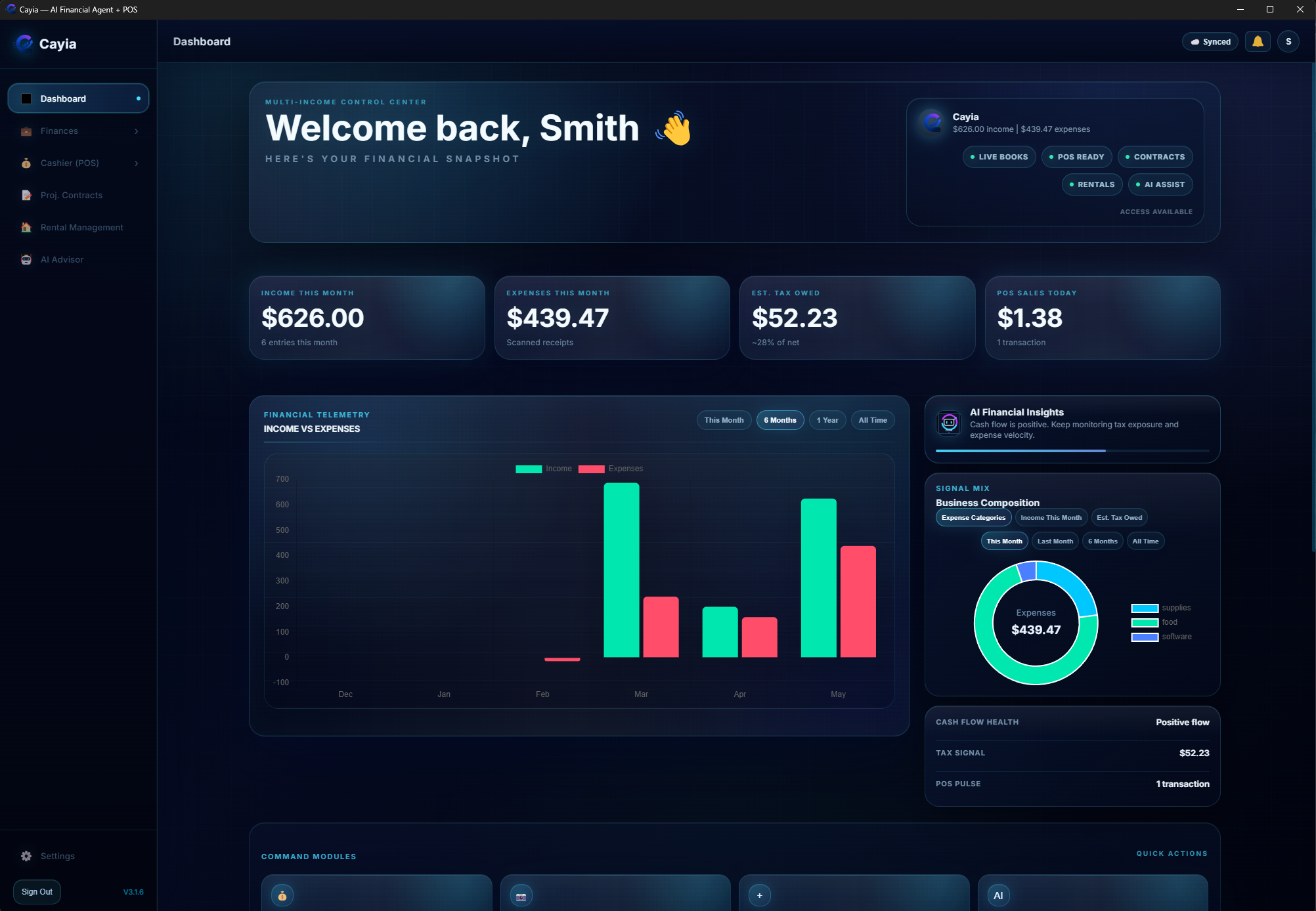
Multi-income dashboard
See income, expenses, POS sales, tax estimates and activity in one place.
Money may come from jobs, stores, rentals, cash payments, invoices, gigs, platforms, projects and services. ™Cayia is built around that real-life mess.
 ™Cayia
Control your chaos
™Cayia
Control your chaos
One workflow
Instead of forcing your work into one category, ™Cayia connects the different pieces of how you actually make money.
™Cayia is for the people running the work directly: owners, couples, contractors, cashiers, supervisors and small teams.
The owner controls the workspace. Each person can receive the exact access they need: POS (Point of Sale), rentals, contracts, service tickets, reports, or only the projects, tenants and work orders assigned to them.
Owner Account
Approves devices, invites users and assigns permissions.
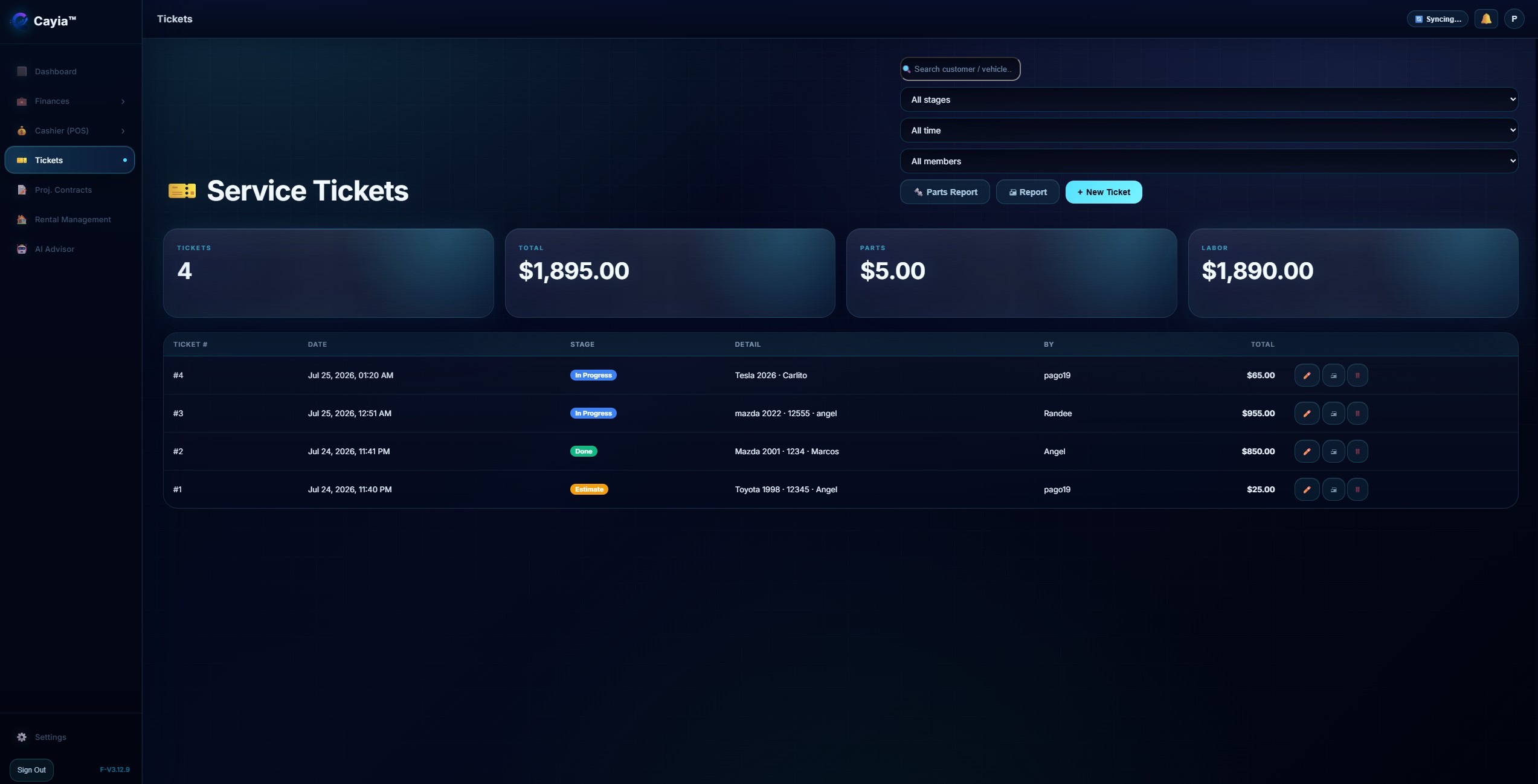
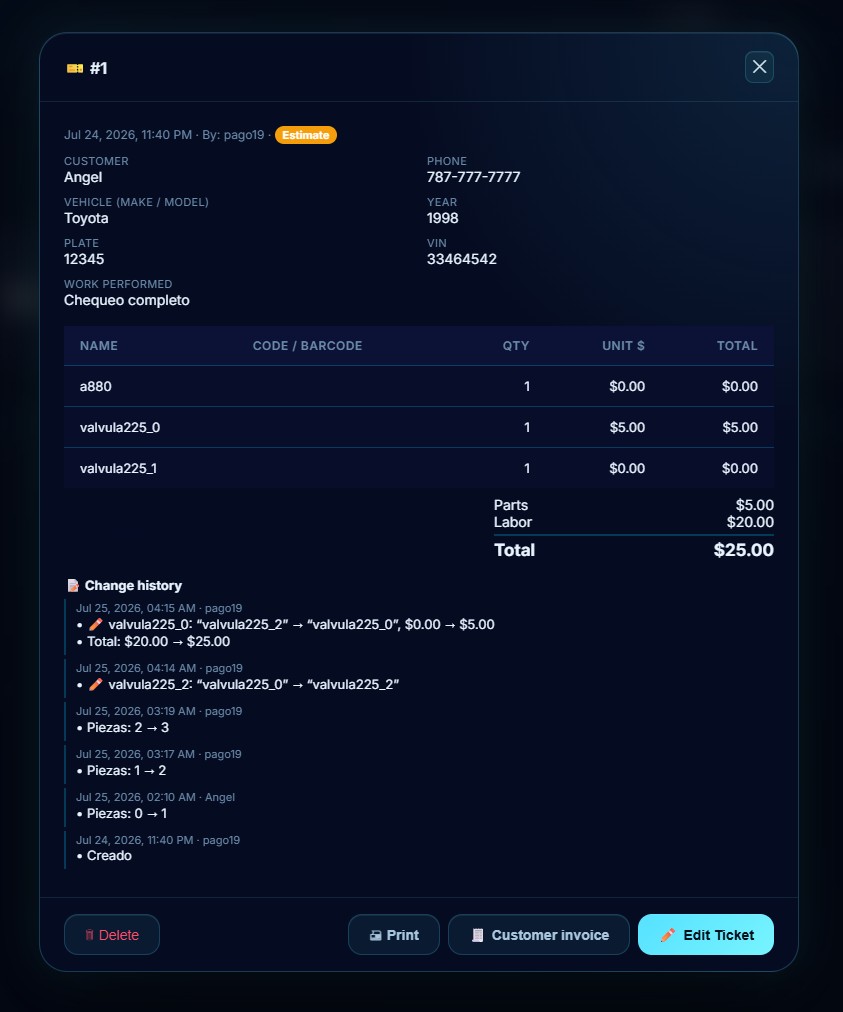
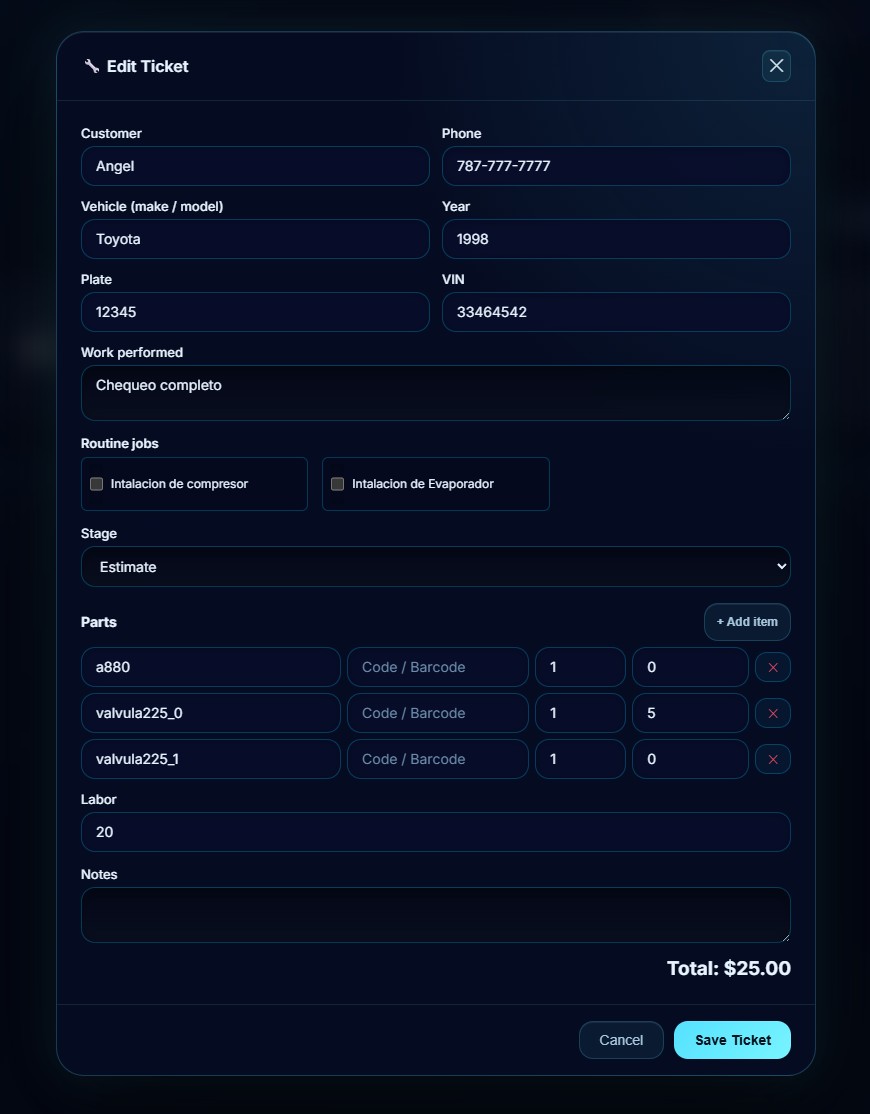
Use work tickets when a mechanic, waiter, technician, supervisor or team member needs to record a job without touching POS sales, inventory, income or contracts. Each ticket keeps the customer, work performed, parts used, labor, stage, total, invoice and change history organized for the owner.
BYOK AI
™Cayia does not treat AI like a gimmick. You bring your own AI key from providers like OpenAI, Gemini, Anthropic or Mammouth, then use AI to reduce typing, organize documents and speed up practical business work.
Less manual entry
Use the camera or import photos, PDFs, receipts, checks, invoices and project documents. ™Cayia reads the details, prepares the form, and lets you review before anything is submitted.
A cleaner view of ™Cayia's major workflows, grouped so visitors do not have to process every screenshot at once.
See income, expenses, POS sales, tax estimates and activity in one place.
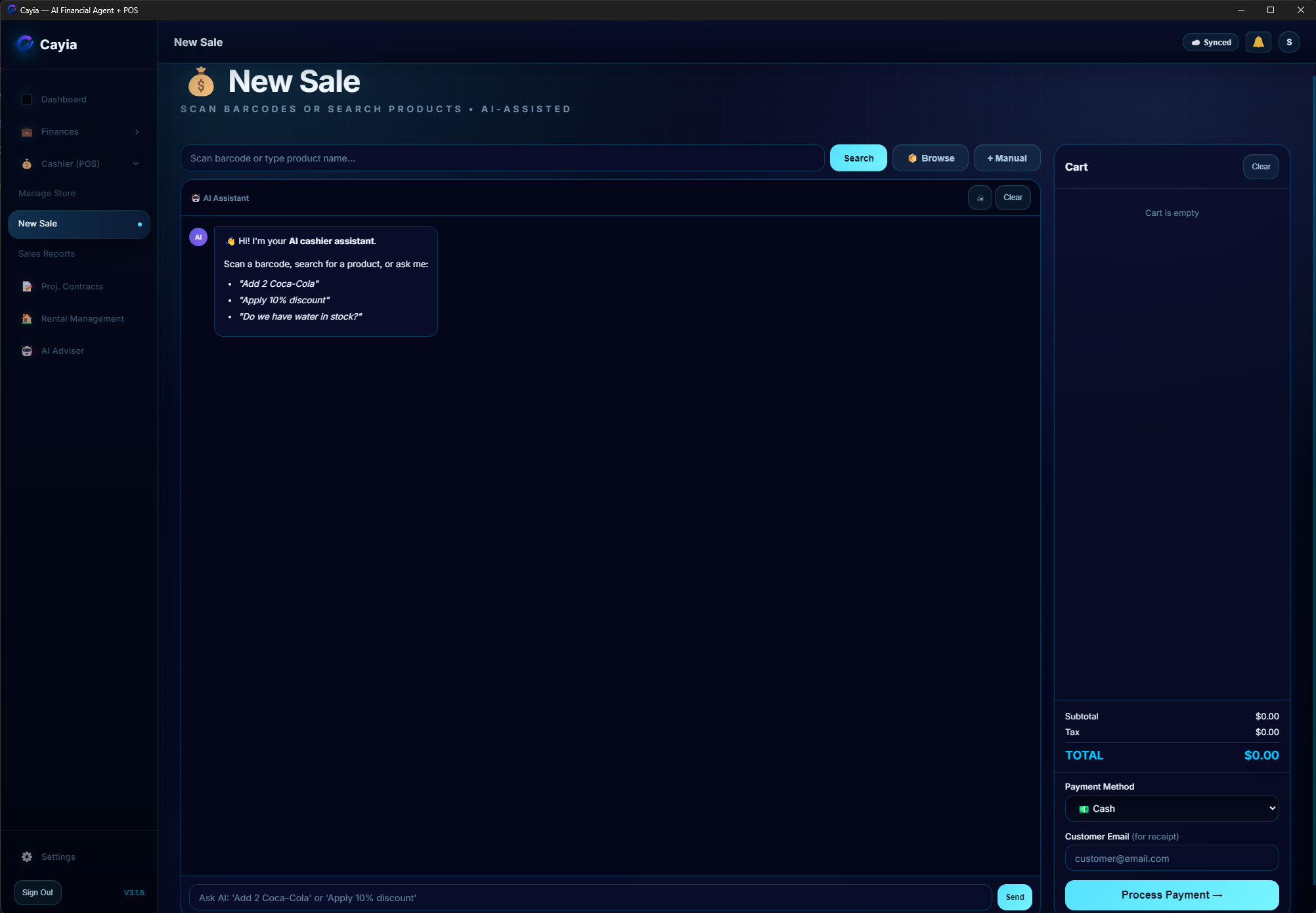
Run sales, manage inventory and connect cashier activity to the bigger picture.
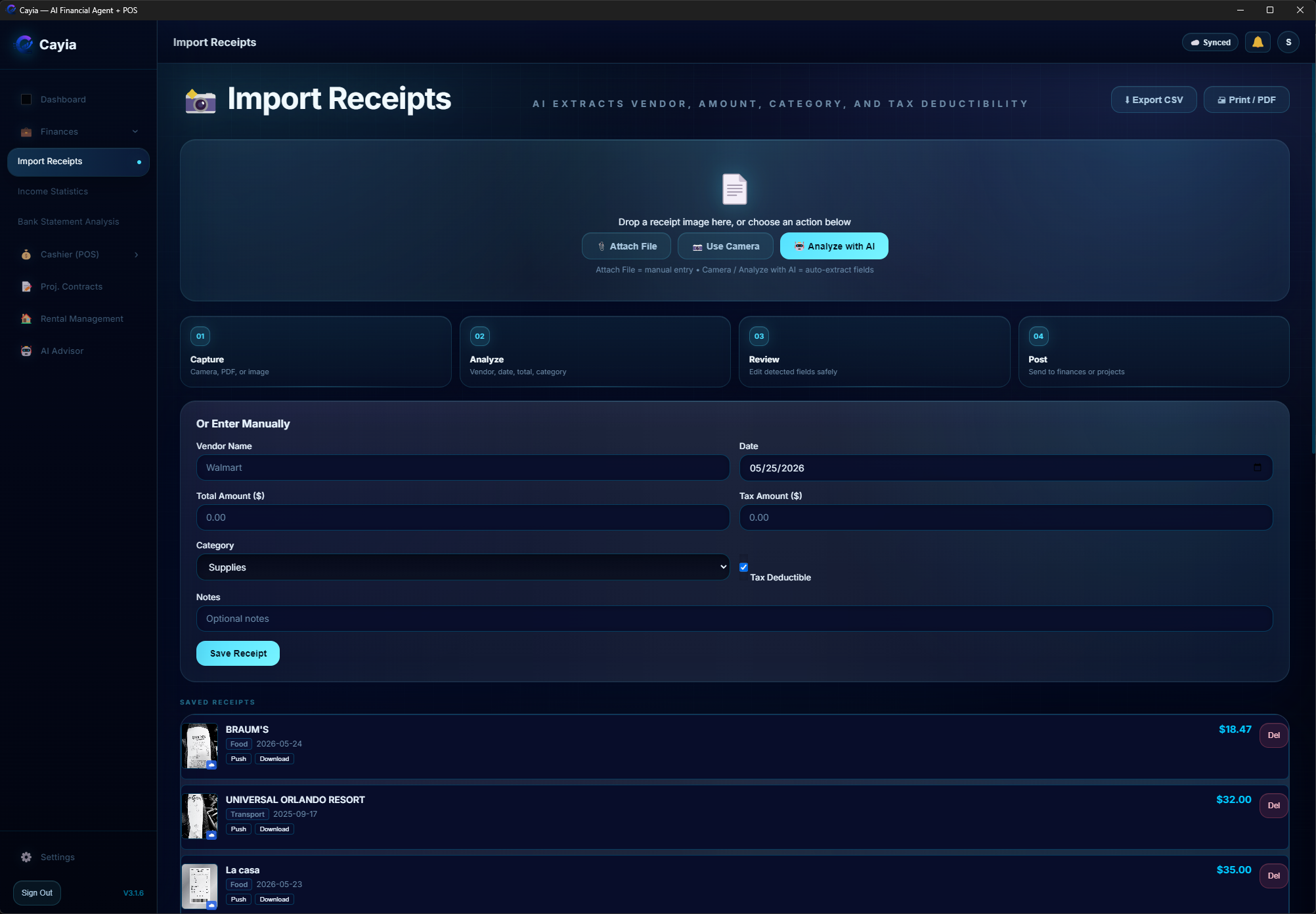
Track money coming in and out without scattering records across spreadsheets.
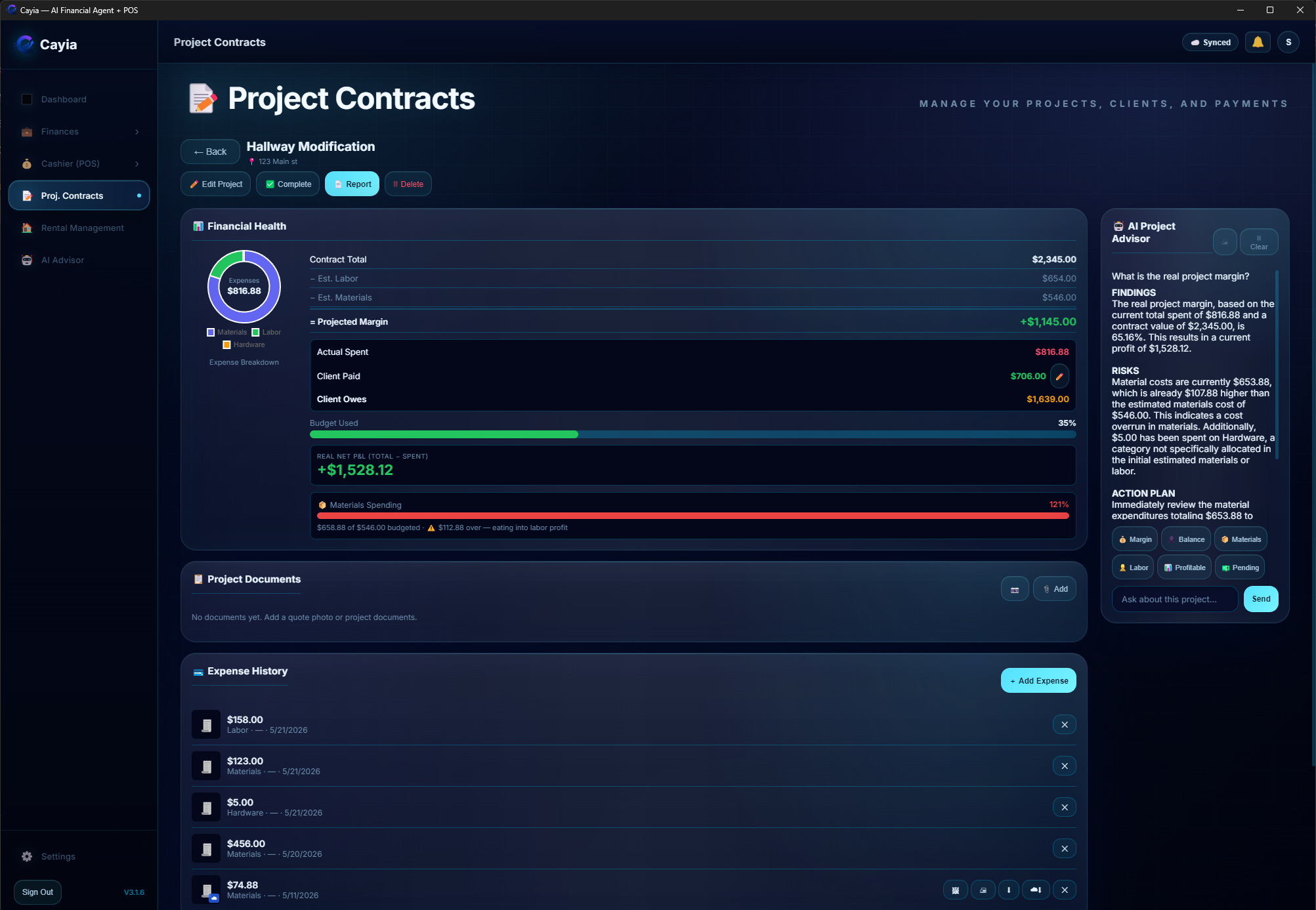
Keep contract value, spending, net profit and status attached to each job.
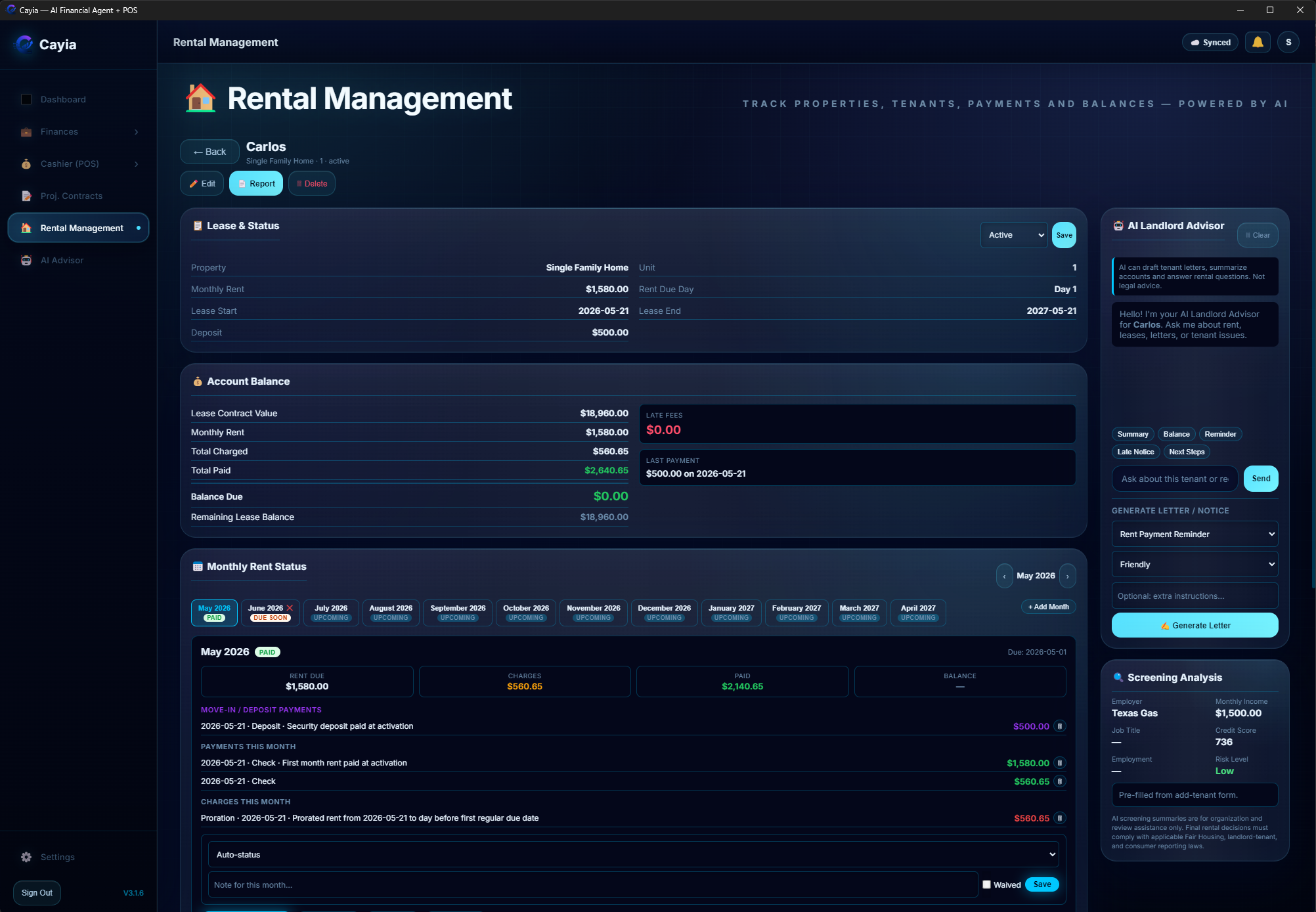
Track tenants, lease status, monthly rent, charges, balances, payments and AI landlord support.
Create job tickets for customers, vehicles, parts, labor, stages, invoices and team reporting.

Ask about receipts, inventory, reports, projects and financial activity.
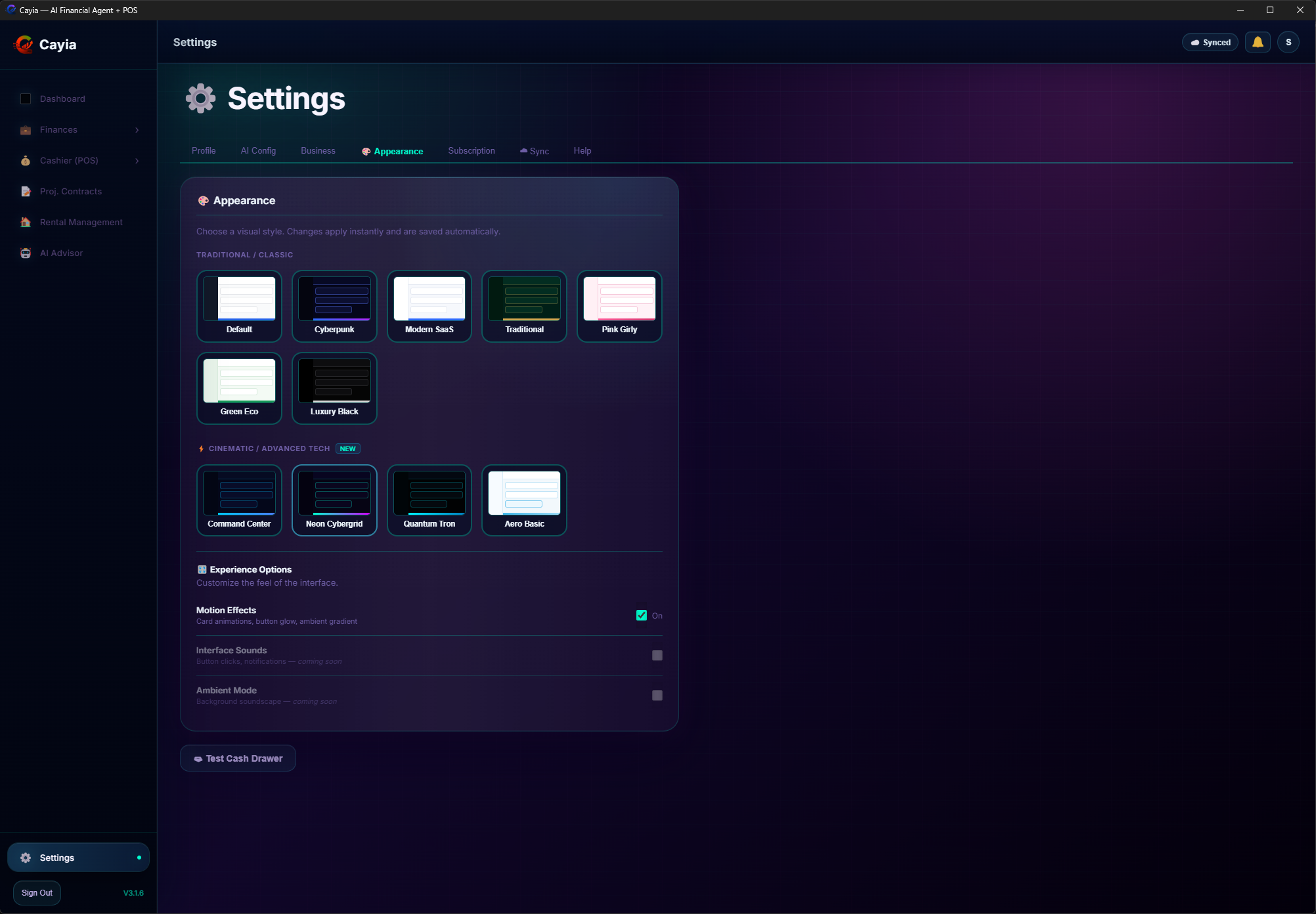
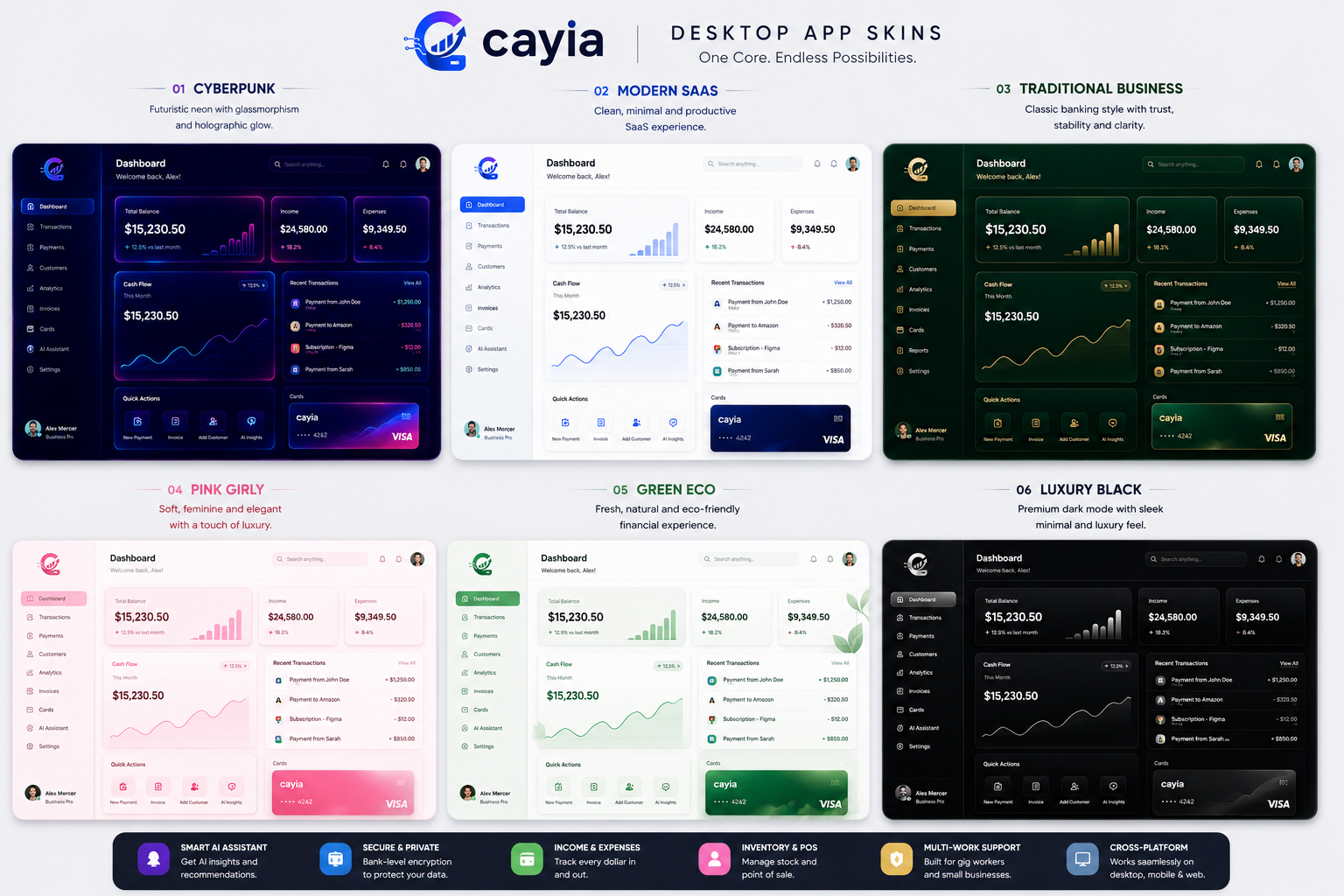
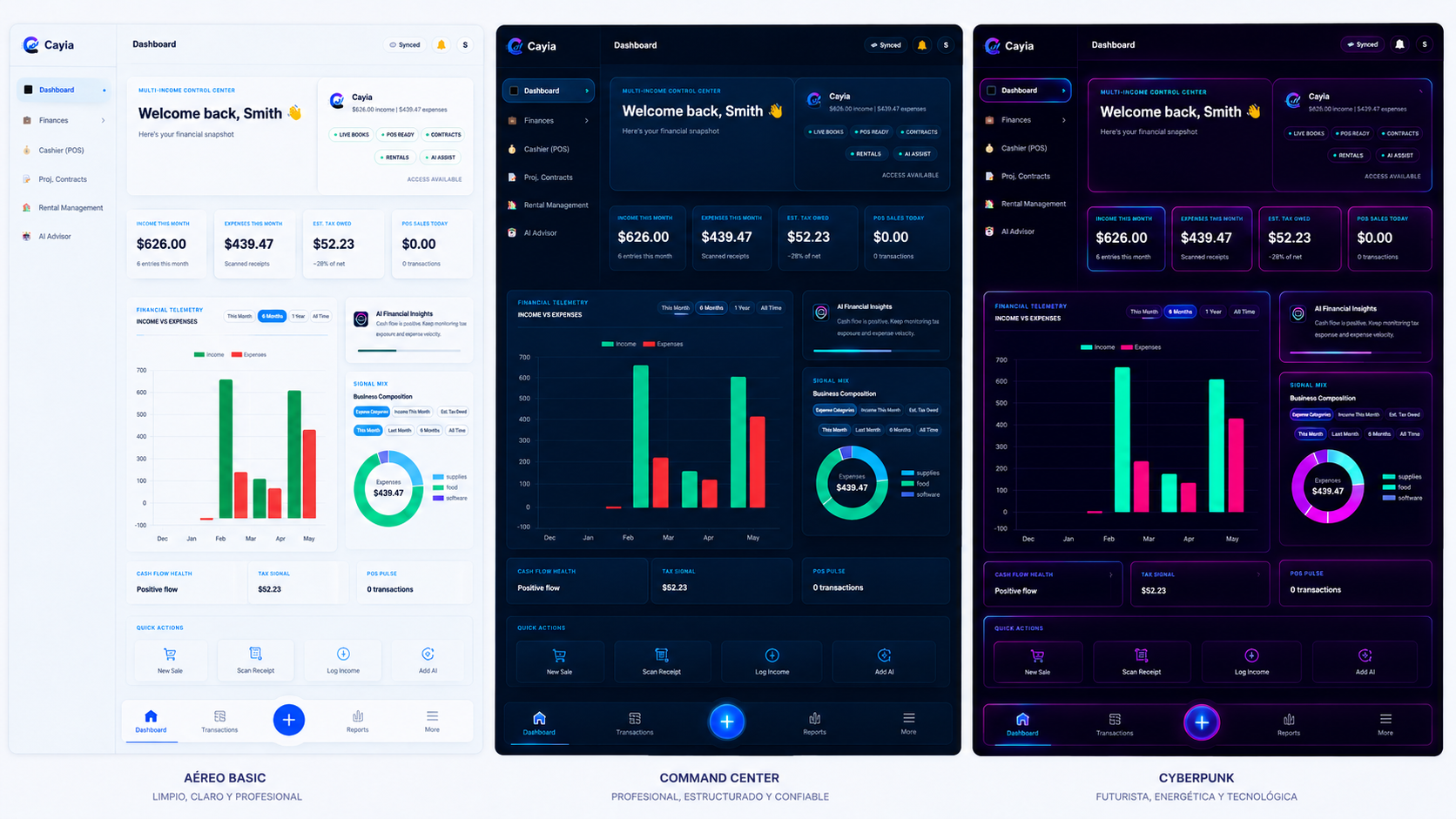
Choose the visual identity that fits your business while keeping the same core system.
Pro Business highlight
Each project has its own financial health, contract value, expenses, payments, margin, photos and AI Project Advisor.
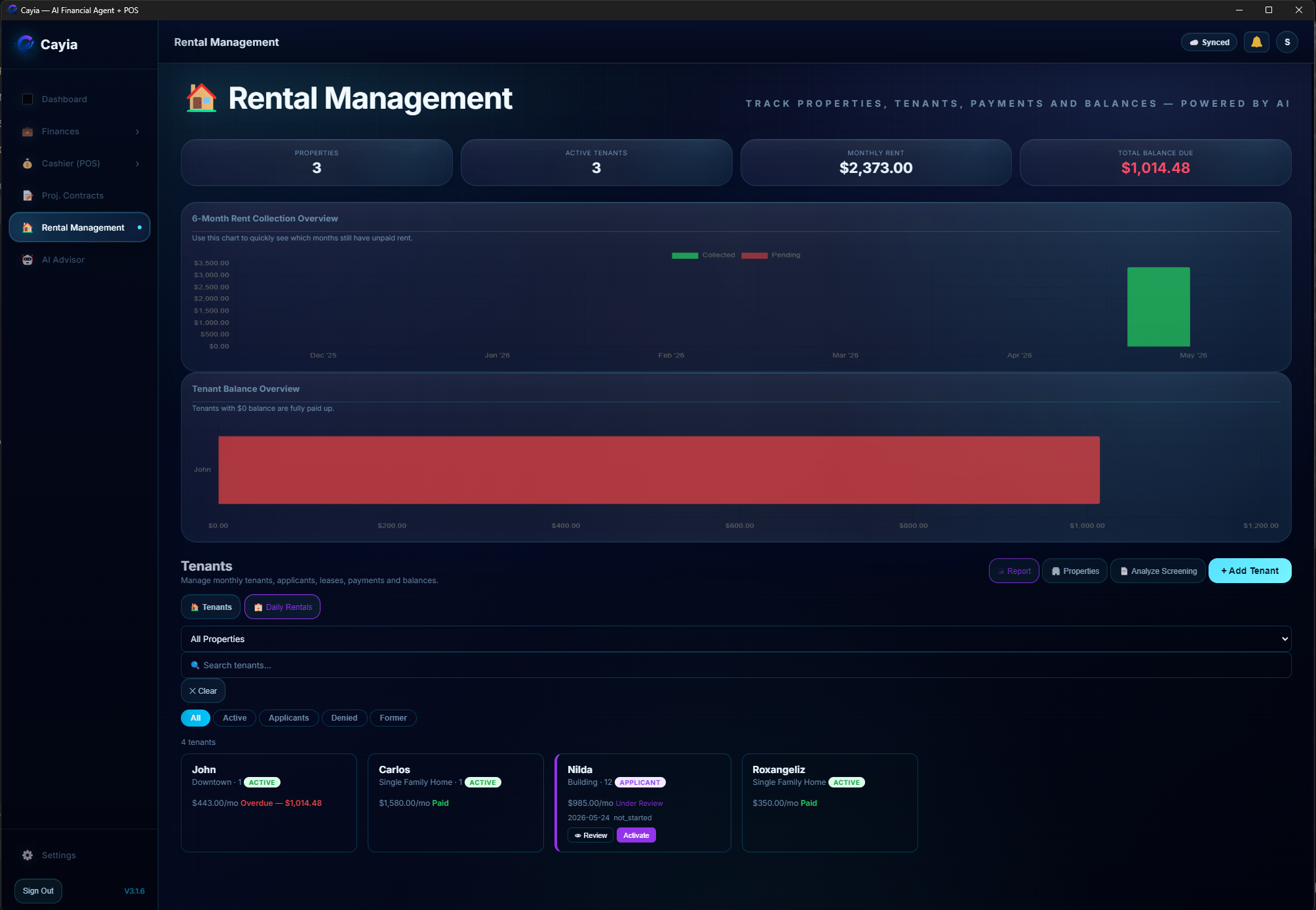
Manage properties, tenants, lease status, monthly rent, deposits, late fees, balances, payments and rental reports without separating your landlord work from the rest of your business activity.
Every plan starts with a 14-day trial. Choose monthly or yearly billing, with yearly pricing designed for better savings.
For independent income tracking and clear day-to-day financial organization.
For stores and teams that need POS, inventory, sync and cashier access.
For project-heavy and service-based businesses that need work tickets, contracts, rental workflows and broader sync.
Plans and feature availability may be updated as ™Cayia continues development. Pricing copy is editable for final launch.
™Cayia can adapt visually to different business personalities while keeping the same powerful core.
.png)
Use ™Cayia in the browser, on Windows, or install it as a PWA on iPhone, iPad and Android — no app store needed.
Instant access from your browser with synced data.
Open Web AppNative desktop app with installer and auto-update flow.
Download for WindowsOpen in Chrome on Android or Safari on iPhone and tap "Add to Home Screen" for an app-like experience — no app store needed.
Start Free TrialTenant portal
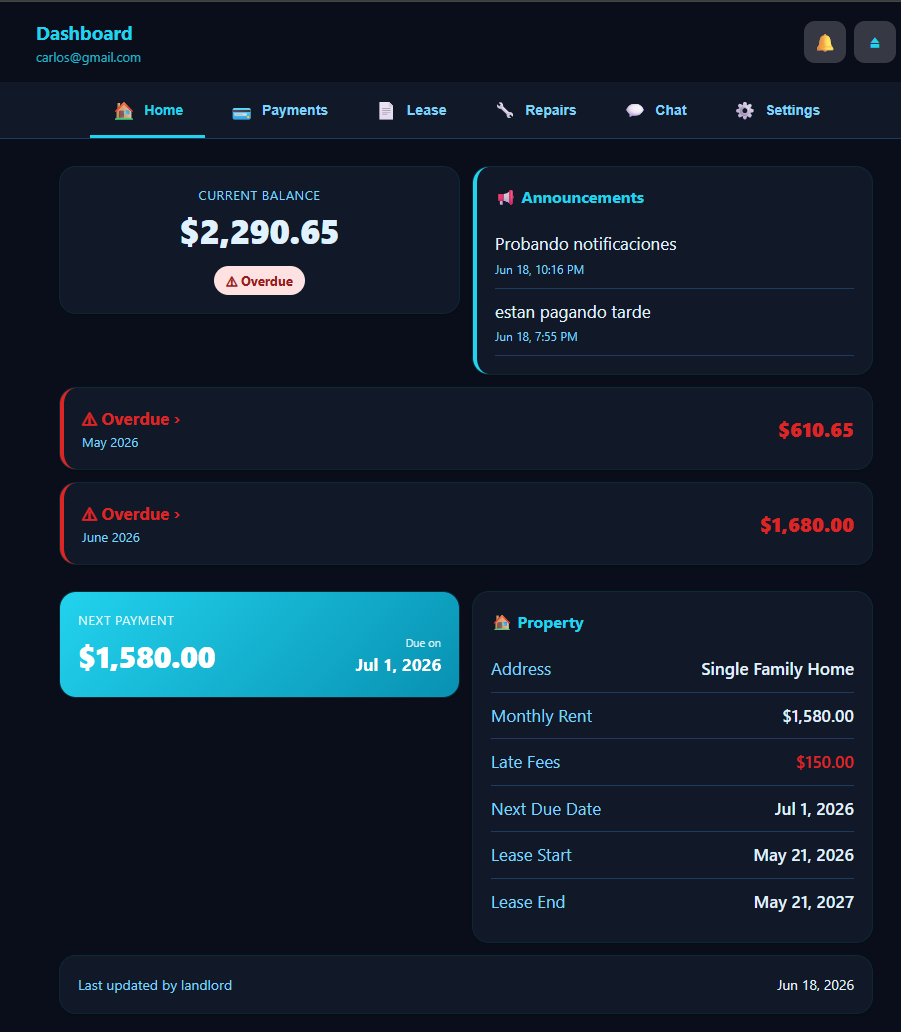
A separate portal where tenants can review balances, payment history, lease details, repair requests, announcements and chat messages from the landlord or property manager.
™Cayia Tenants is the companion portal for the rental side of Cayia. Tenants can see current balance, overdue months, next payment, property details, announcements, lease information, repairs, chat and account settings from their own portal.
™Cayia is developed by Cayia Systems LLC, a USA-based software company focused on practical tools for small businesses, independent workers, contractors, landlords, gig workers and multi-income entrepreneurs.
Our goal is simple: help real people organize the many ways they earn, spend, manage projects, work with teams and make financial decisions from one connected system.
Bring every income stream into one simple ™Cayia Hub: sales, gigs, receipts, projects, rentals, service tickets, users, reports and practical AI.